Room and meeting room booking software
Manage meeting rooms, studios, and rental spaces with flexible hourly or daily bookings, custom duration rules, and automatic room pricing.
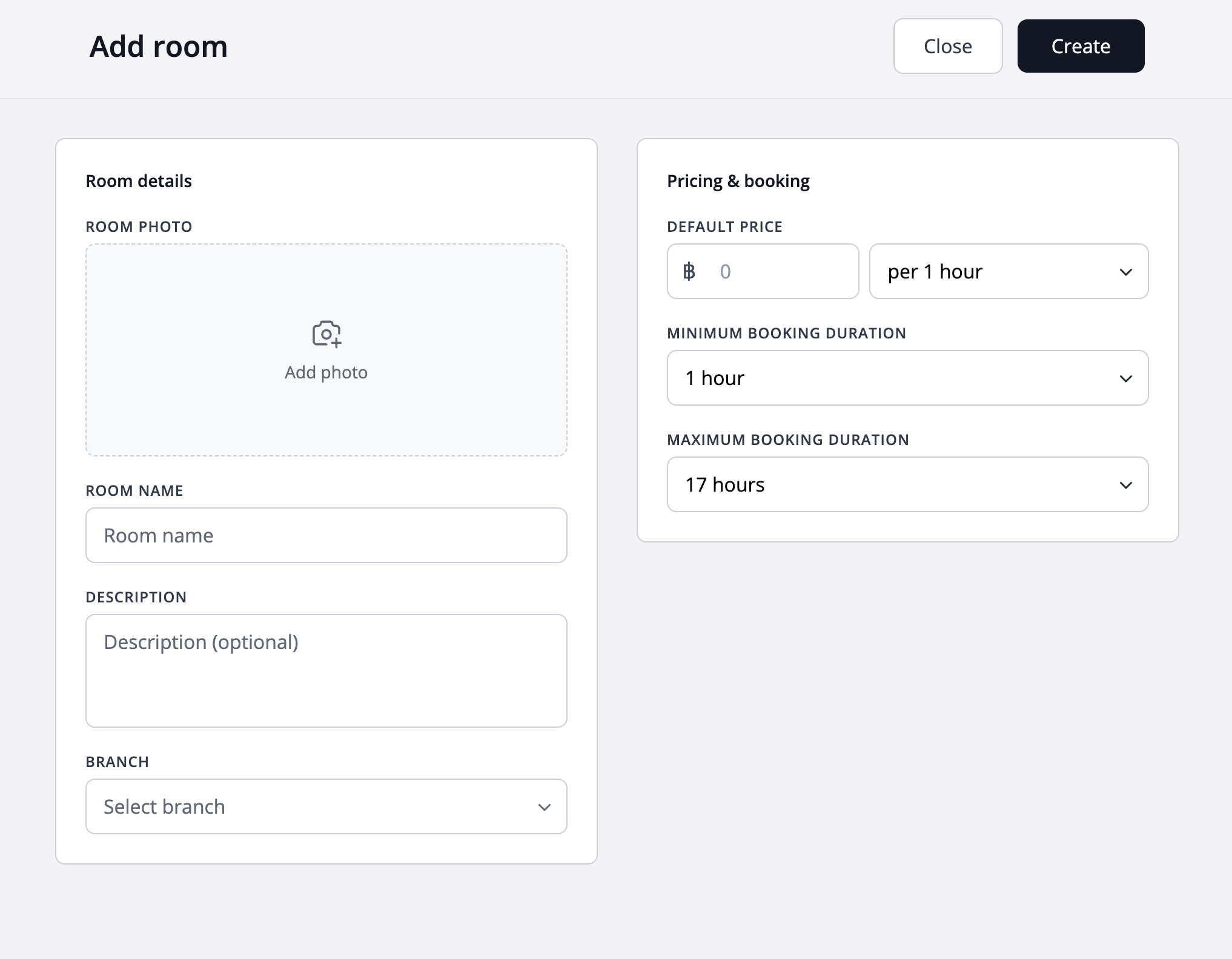
Set minimum and maximum booking durations
Define exactly how short or how long a booking can be for each room.
Prevent unrealistic bookings and keep your schedule predictable, whether it's a quick session or a full-day rental.
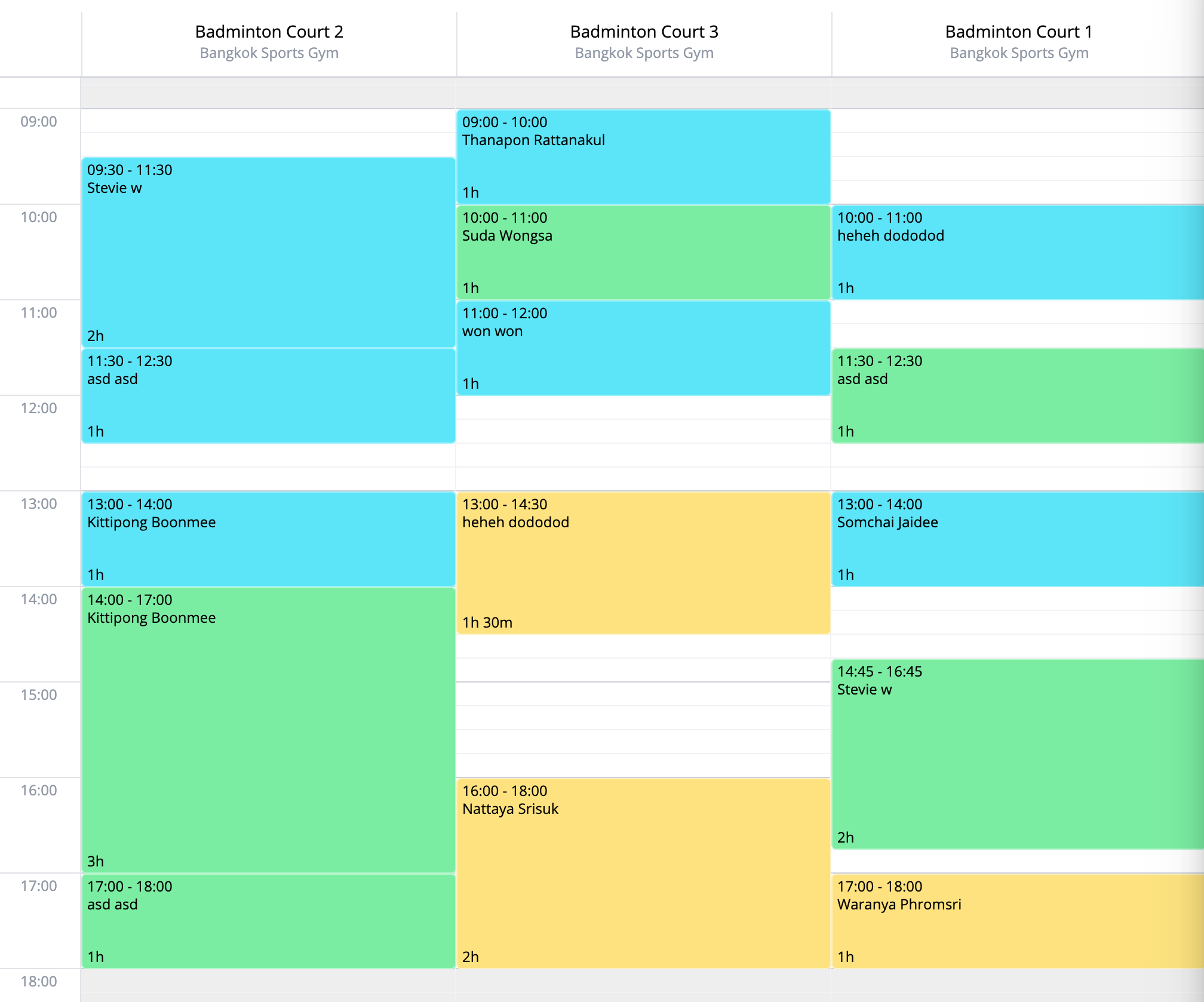
Hourly room bookings made simple
See exactly who has booked a room and for how long, at a glance.
Client names and booking times are displayed directly on the calendar, so you always know what's happening in each room.
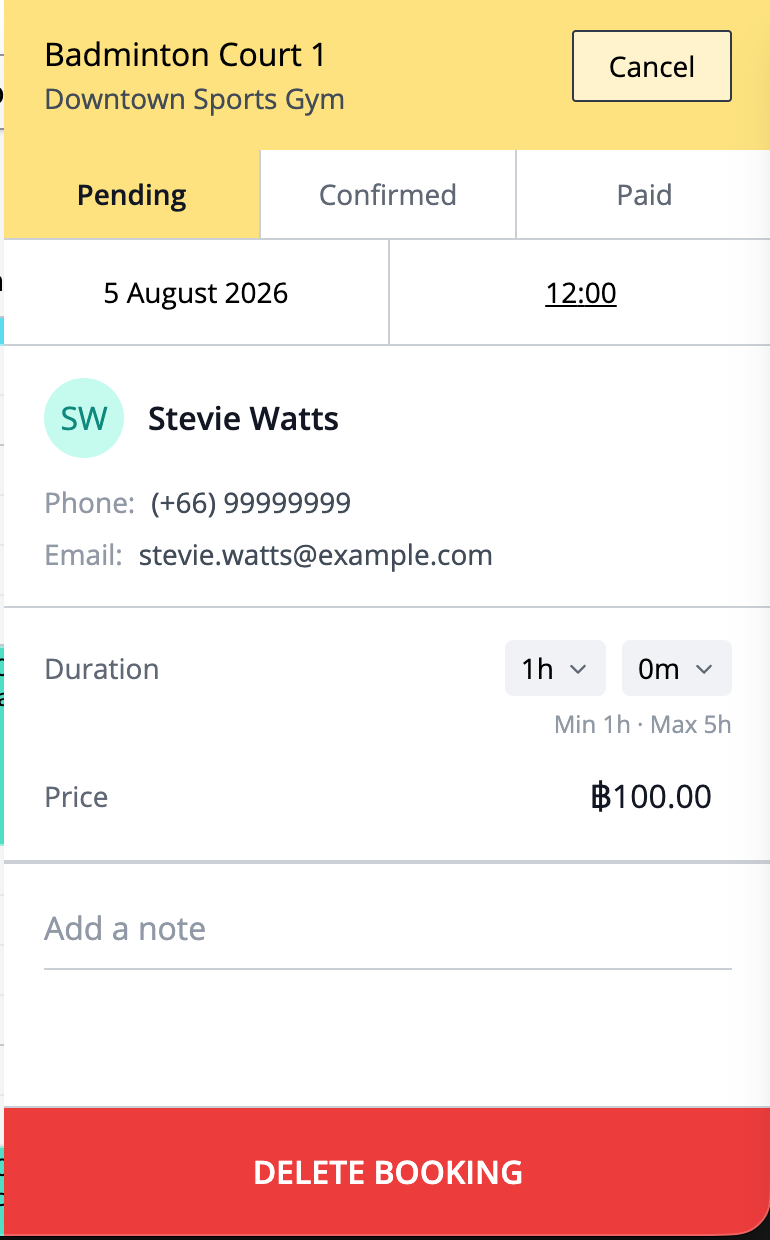
Automatic price calculation
Adjust the booking duration and the price updates instantly.
No manual math — WebbyBooky calculates the correct price based on the room's rate, every time.
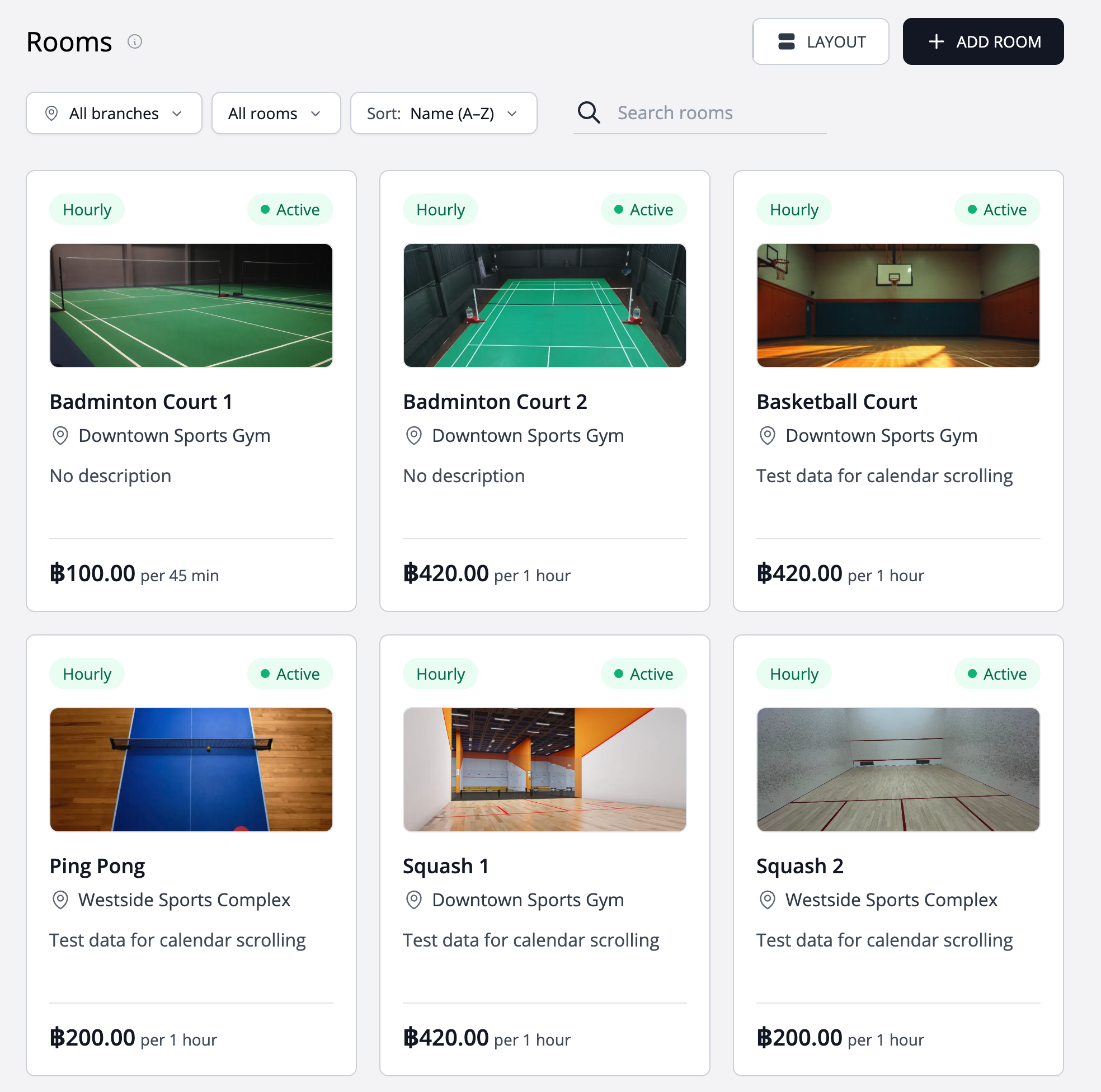
Modern tile layout
Browse your rooms as visual tiles, giving you an at-a-glance overview of every room you offer.
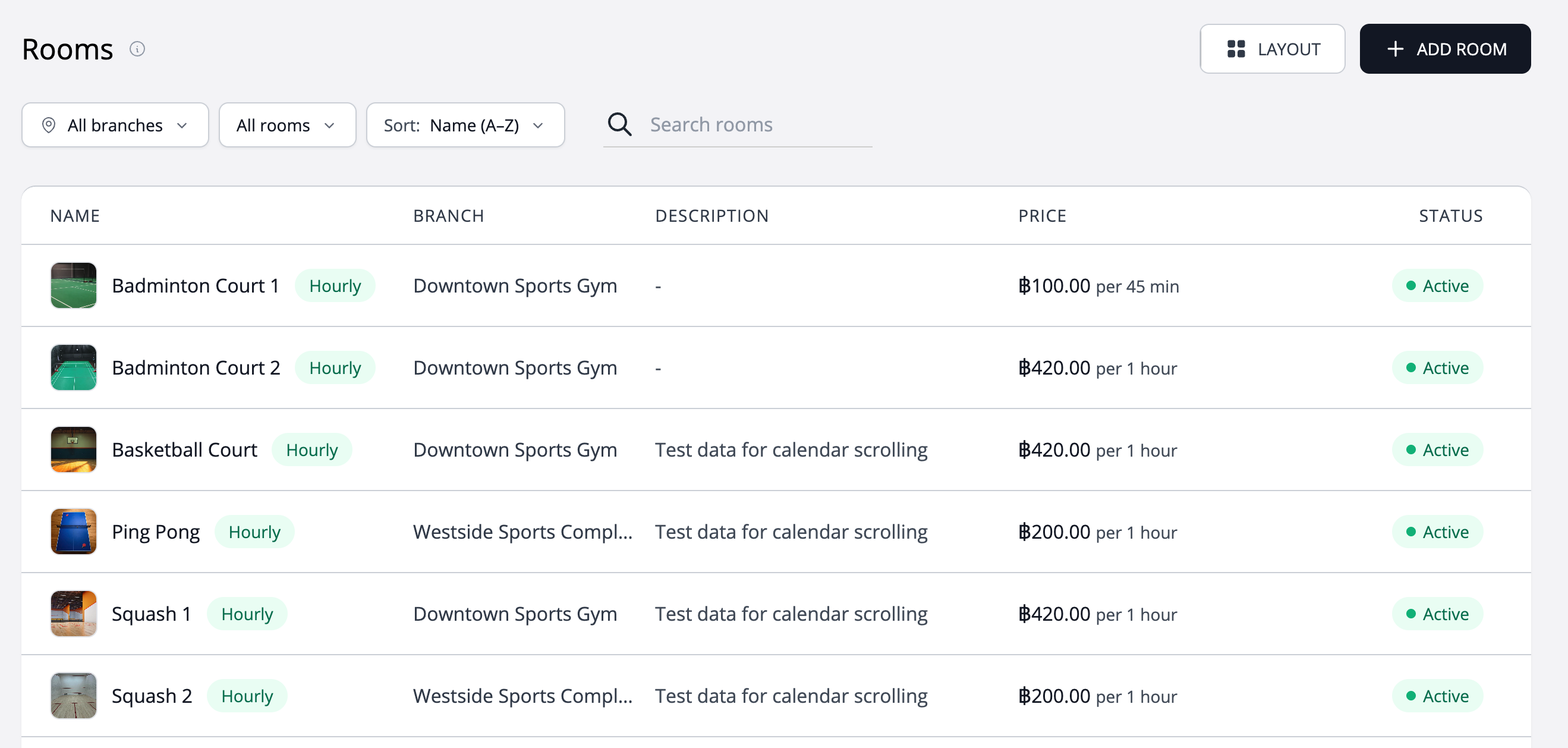
List layout
Prefer something more compact? Switch to the list layout, designed for clarity and ease of use.
Lets you glance through a lot of room data easily.
Make room hire clear from the first enquiry
A room reservation needs a clear space, a start time and enough time to use it. Describe each room as a bookable offering, with facilities, hourly pricing and duration limits that reflect your operation. This gives both the customer and your team a useful reference for the visit.
Describe each independently bookable space
List facilities, access instructions and what the hire includes. Separate genuinely independent rooms, and coordinate overlapping spaces such as a whole hall and its subdivisions through your own operating process.
Set the rate and permitted duration
Configure hourly pricing and minimum and maximum hire lengths. Explain whether preparation and clearing up must happen within the reserved period so a two-hour activity does not accidentally require three hours of room use.
Manage the reservation in the room calendar
Use the room and time to identify the reservation when answering enquiries. Check availability before agreeing to an extension, and organise any staffing, specialist equipment or catering separately where required.
Worked example
A meeting room priced by the hour
Imagine a room at $20 per hour with a one-hour minimum and four-hour maximum. A three-hour reservation has a base room price of $60. These are illustrative hire settings in USD; explain separately any additional arrangements and your configured payment requirement.
| Setting | Example |
|---|---|
| Hourly rate | $20 |
| Allowed duration | 1–4 hours |
| Three-hour base hire | $60 |
Illustrative setup, not a live booking or customer result. Adapt the names, times and prices to your business.
Before you share your booking page
- Explain exactly which space is reserved.
- Keep hourly prices and duration limits current.
- State the facilities included and access instructions.
- Plan preparation and shared resources through your venue process.
Questions about this workflow
Does the room price change with the selected duration?
Room pricing is calculated from the configured rate and booking duration. Keep the rate, duration limits and description aligned so customers understand the amount shown.
Does a room booking automatically reserve a member of staff?
Treat room hire and provider appointments as distinct workflows. Coordinate an instructor, engineer or host separately when the room hire requires one.
Continue with a practical guide
How to set up hourly room or space booking
Describe your rooms, set hourly rates and booking limits, and explain preparation and access before accepting reservations.
Read the guideChoosing deposits or full payment for online bookings
Compare deposit and full-payment booking workflows, explain what customers pay, and prepare clear collection instructions.
Read the guide